Every feature
Everything Athena does, by area. The short version has the main ones.
Ask anything about Athena
Answers come from Athena's own pages and help, written by AI. Don't type personal details.
Remember this conversation on this device?
Intake
Getting paper and files into Athena.
-
Scanned batches
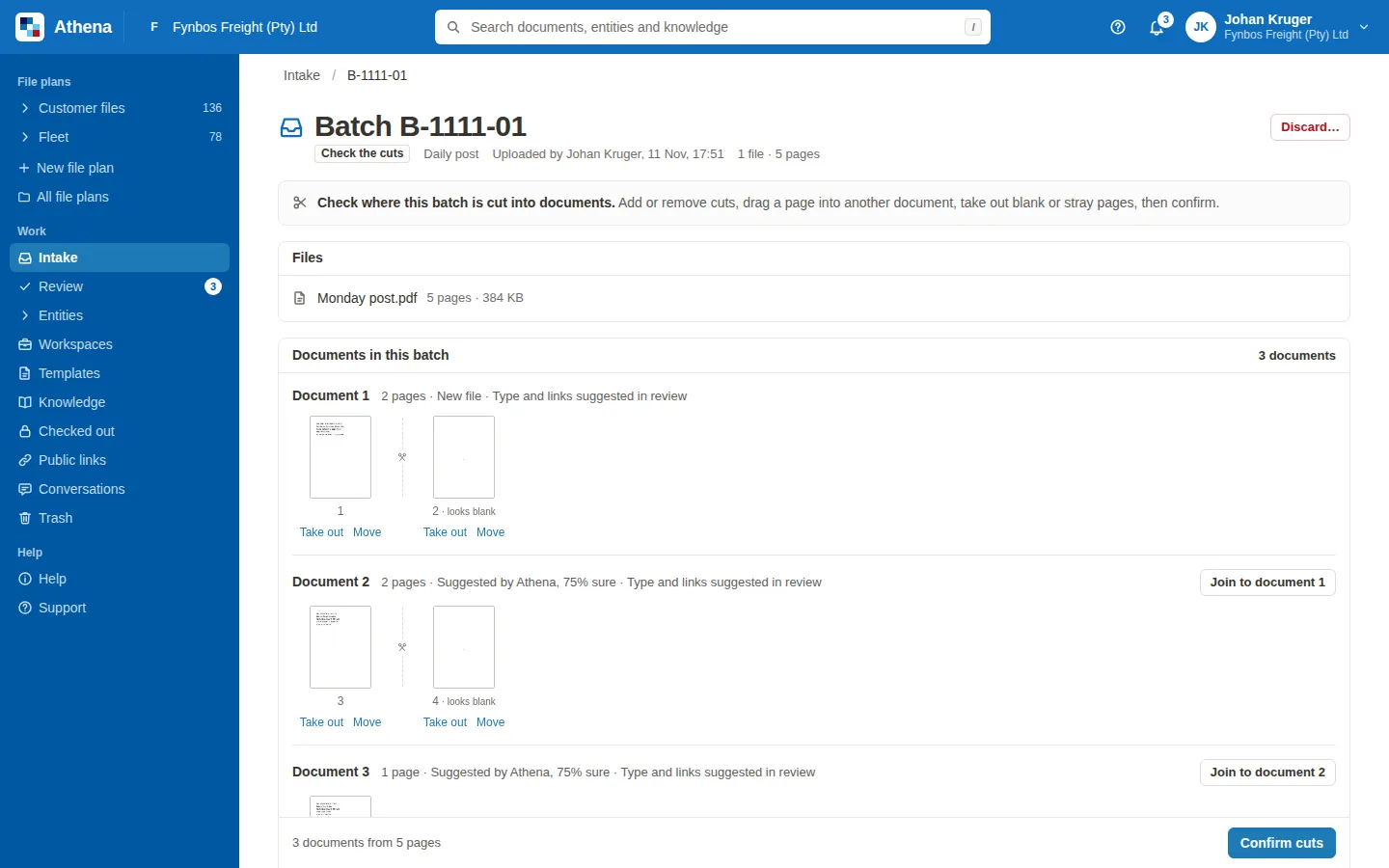
Upload a bundle from the copier as one PDF. Athena reads every page, finds where one document ends and the next begins, and shows you the cuts to check.
-
Separator sheets
Print a sheet with a code, put it in front of a document or a whole stack, and the cut is certain. A sheet can say the type and who it's for, so every document after it arrives filled in, up to the next sheet.
-
A document that's really several
Found two invoices stapled together? Cut a document into two, in Review or after it's filed, without scanning again.
-
Email it in
Each business has its own Athena email address. Forward an email and its attachments become documents; only senders you allow get in.
-
Drop folders on your PC
With Athena Sync, a folder on your PC (or a scanner's) sends whatever lands in it, and drag-and-drop onto Athena Sync's window does the same.
-
Any kind of file
PDFs, Word and Excel files, photos, sound and video: each opens in Athena, and the text Athena can read is searchable.
Review
Checking what Athena suggests, before anything is filed.
-
Suggestions you confirm
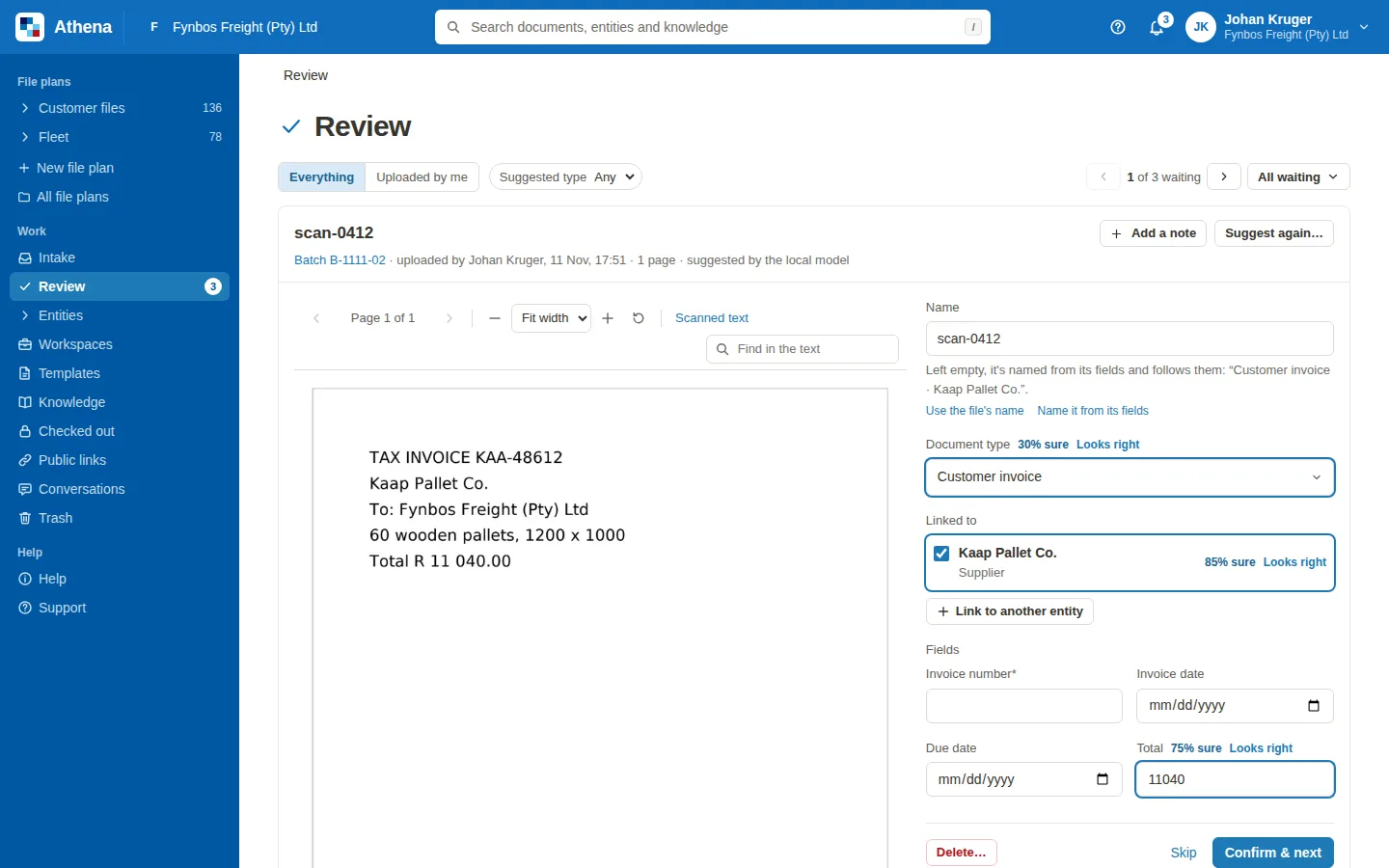
Athena suggests a document's type, who it belongs to and its fields, like the invoice number and amount. A person confirms or corrects it; nothing is filed on a guess.
-
Fields read from the document
Athena reads dates, numbers and names from the page, and from the file's own details. A field's help text tells it what to look for.
-
Lines on a document
An invoice's or statement's lines are read into a table you can check and correct.
-
Suggest again
Changed your document types? Ask Athena to suggest again for one document, a search's results or a whole folder.
-
When the AI couldn't read it
A page too faint to read, or a file the AI couldn't open, is marked with why, so nothing is filed wrong quietly.
Documents
Working with a document once it's in Athena.
-
Versions, check-out and check-in
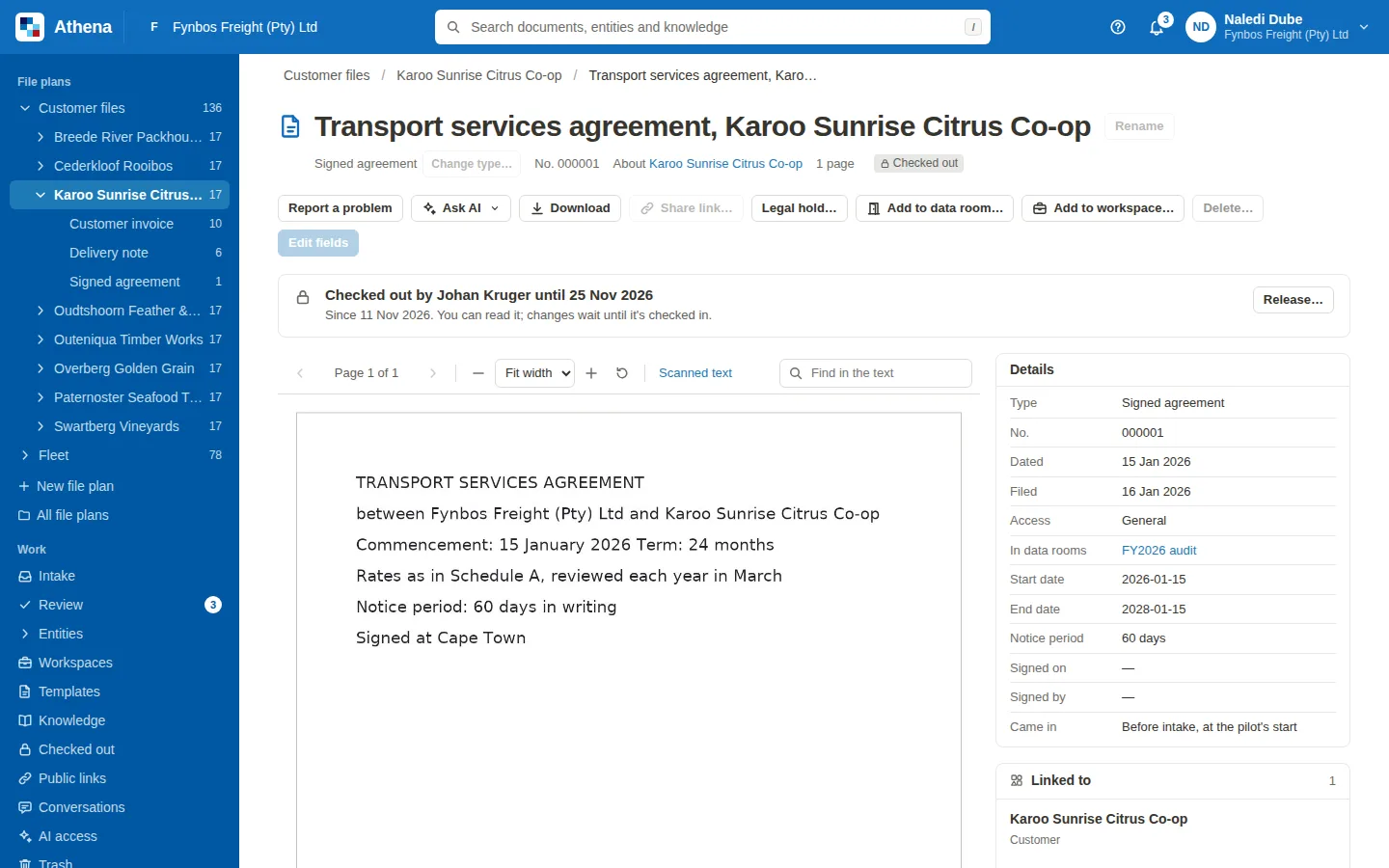
Check a document out to change it; others see who has it. Check it in and it becomes a new version; every earlier one is kept.
-
Filed as the wrong type?
Make a receipt that's really a statement the right type, one document or a whole selection at once. It goes back to Review to have its new fields confirmed, with its old values beside them, and stays filed meanwhile. Its links and notes stay, and its earlier versions keep what they were.
-
Write in Athena, and templates
Write a letter or a note in Athena itself, or start from your business's templates.
-
Notes and links
Add notes to a document or a customer, and link documents to each other: a quote to its invoice, a claim to its photos.
-
Pictures, sound and video
Photos, Live Photos and phone videos play in any browser. Share a photo without where it was taken.
-
A month in the trash
Deleted documents wait in the trash for 30 days before they're gone, so a mistake can be undone.
Customers and file plans
Finding your way by customer, supplier, vehicle or person.
-
Customers, suppliers, staff, vehicles
Everything your documents are about, with the fields you choose. Duplicates can be merged; other names ("Dlamini", "Dlamini Transport (Pty) Ltd") are found as one.
-
File plans as folders or lists
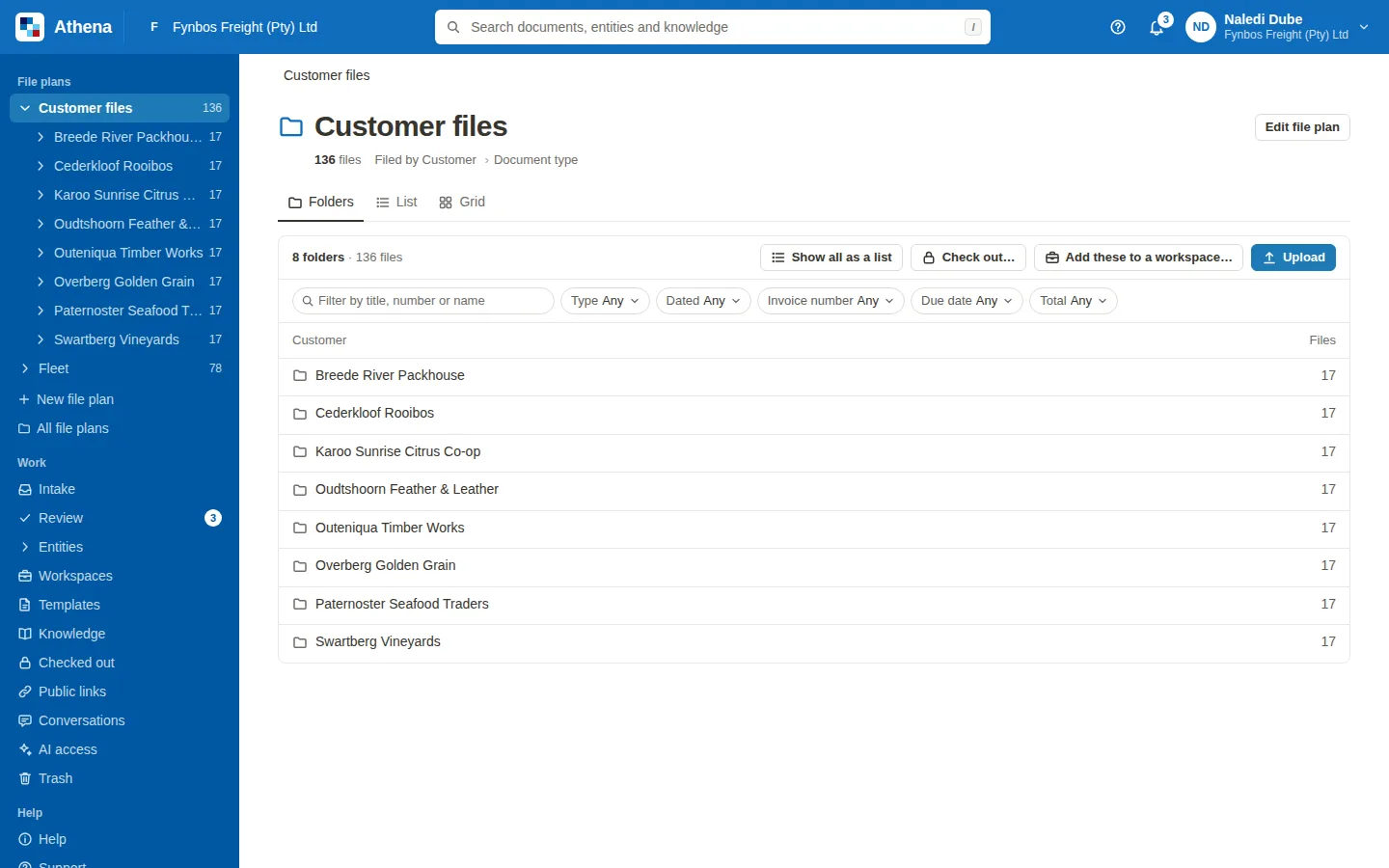
Arrange the same documents by customer, year, type or anything you record, as folders or as a grouped list. Share a file plan with everyone or keep it to yourself.
-
Totals, charts and Excel
A file plan adds up its number columns, draws them as a chart and exports to Excel.
-
Who has no document this period
Say what each customer or employee should have each month, and see at a glance who's missing one.
-
Workspaces
Gather documents for a job, an audit or a claim in a workspace, without moving or copying them.
Search
Finding anything in seconds.
-
Every word, even scanned
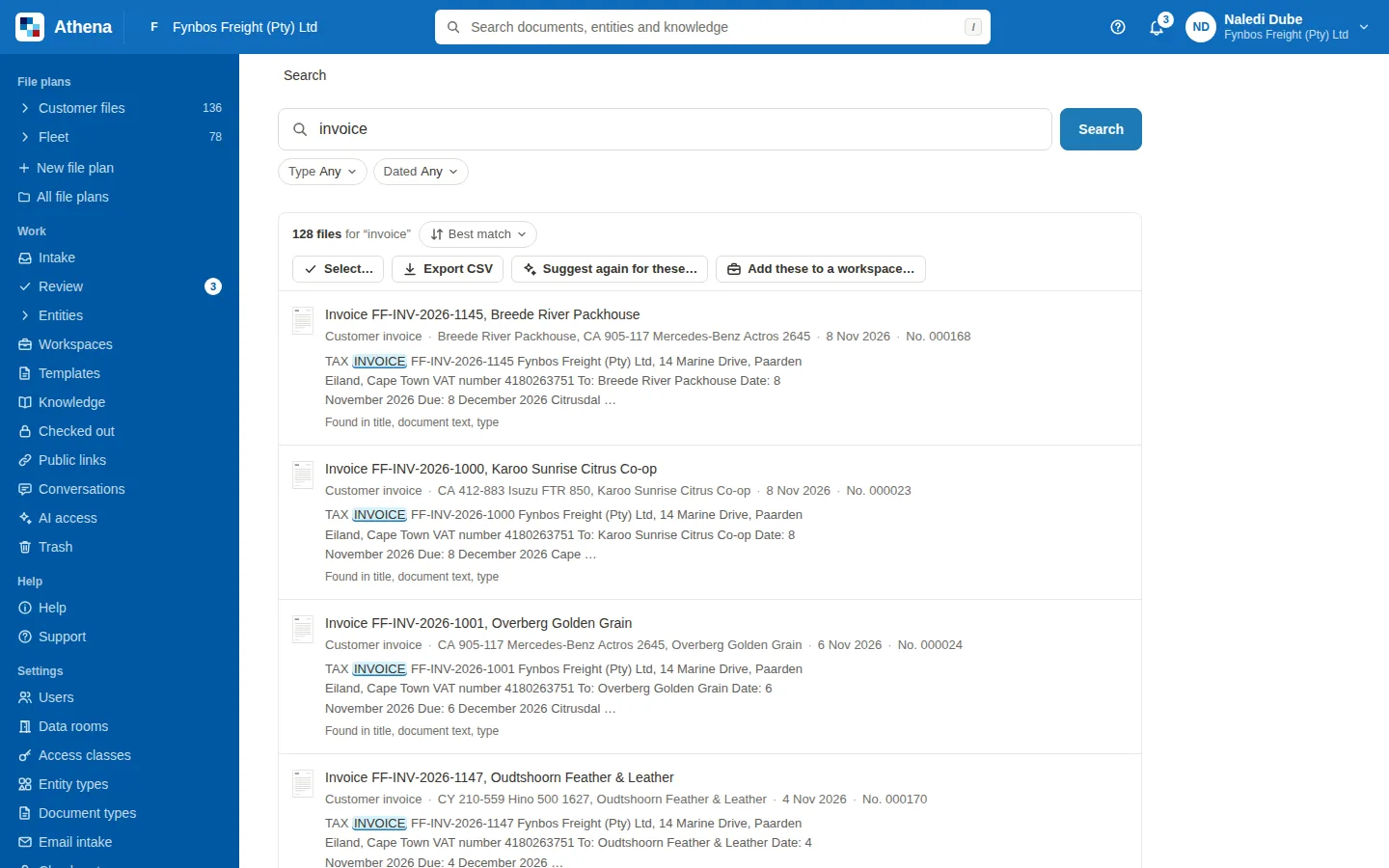
Search reads typed and scanned text, titles and fields. Results show only what the person searching may see.
-
Steps for what you want to do
Type what you want to do, such as "add my customers' invoices", and get the steps for how your Athena is set up. They wait beside the page while you work, and tick themselves off as each is done.
-
Act on what you found
Select results to export, check out, add to a workspace, suggest again or change their type, all at once.
Ask AI
Answers from your own documents, with their sources.
-
Ask about documents
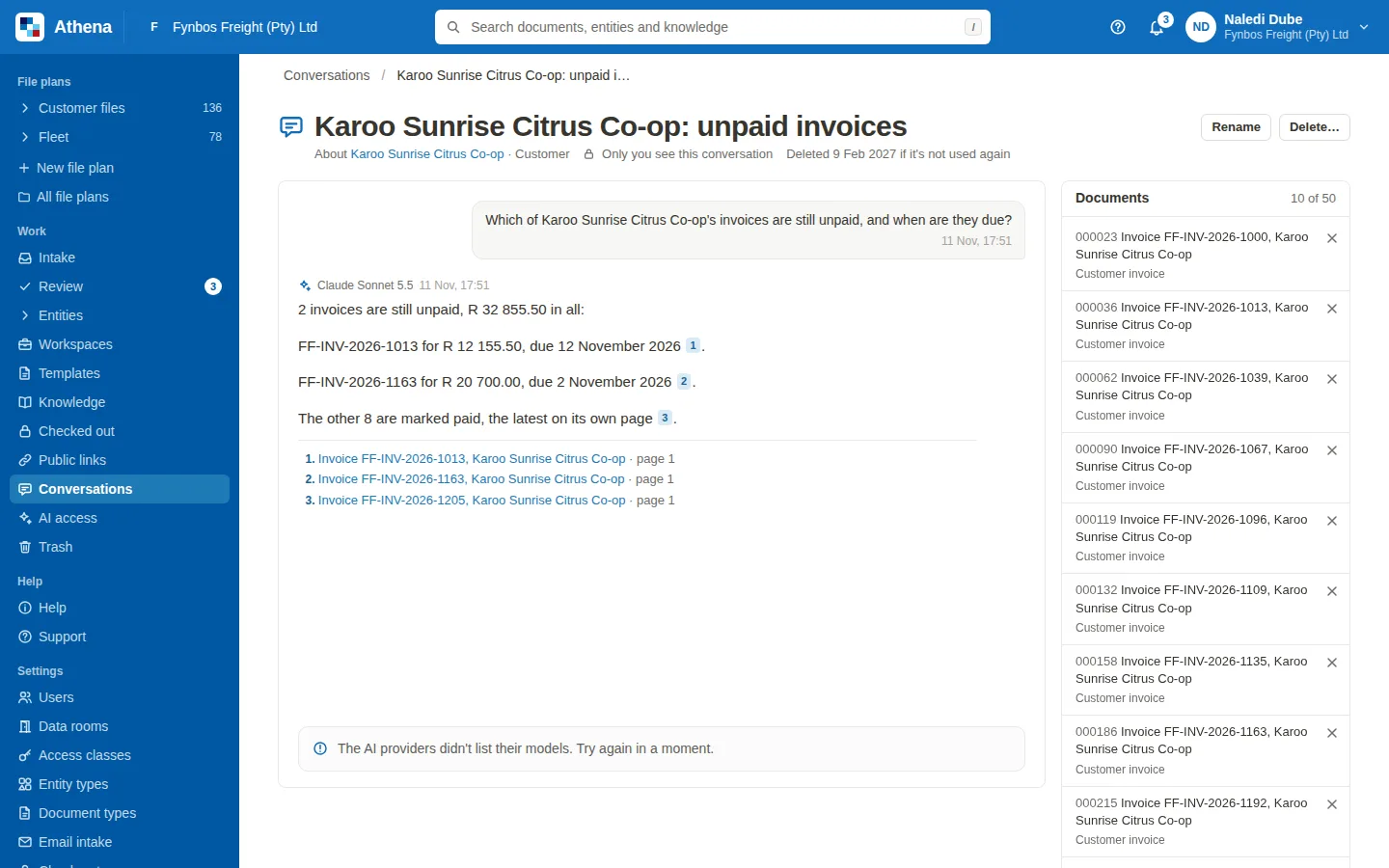
Ask about one document or many: "Which invoices are unpaid?" Every answer links to the pages it came from.
-
Ask about a customer's file
Ask across everything filed for a customer, supplier or employee.
-
Your own knowledge
Your people write down how things are done; Athena answers from that and from your documents together.
-
Your rules for the AI
Choose per access class whether the AI may read those documents at all, and use your own AI key or Athena's.
Athena Sync
Athena on your Windows PC.
-
Edit in Word and Excel
Checked-out documents appear in a folder on your PC; save, and the change goes back to Athena.
-
Folders that stay in step
A customer's photos and media can live in a folder on your PC that stays in step with Athena both ways.
-
Drop to send
Drop files on Athena Sync's window, or in a drop folder, and they go to Intake.
-
Keeps itself up to date
Athena Sync installs in a minute and updates itself.
Sharing
Letting outside people see just what they need.
-
Data rooms for auditors
Invite your auditors to a data room with exactly the documents they need, for as long as they need them. They can upload too.
-
Public links
Share one document by a link that ends when you say.
-
Sealed documents
Seal a document with your organisation's certificate (OptiTrust), so whoever you send it to can see it came from you and wasn't changed. Verify a bank statement the same way.
Security and POPIA
Who sees what, for how long, and proof of it.
-
Access classes
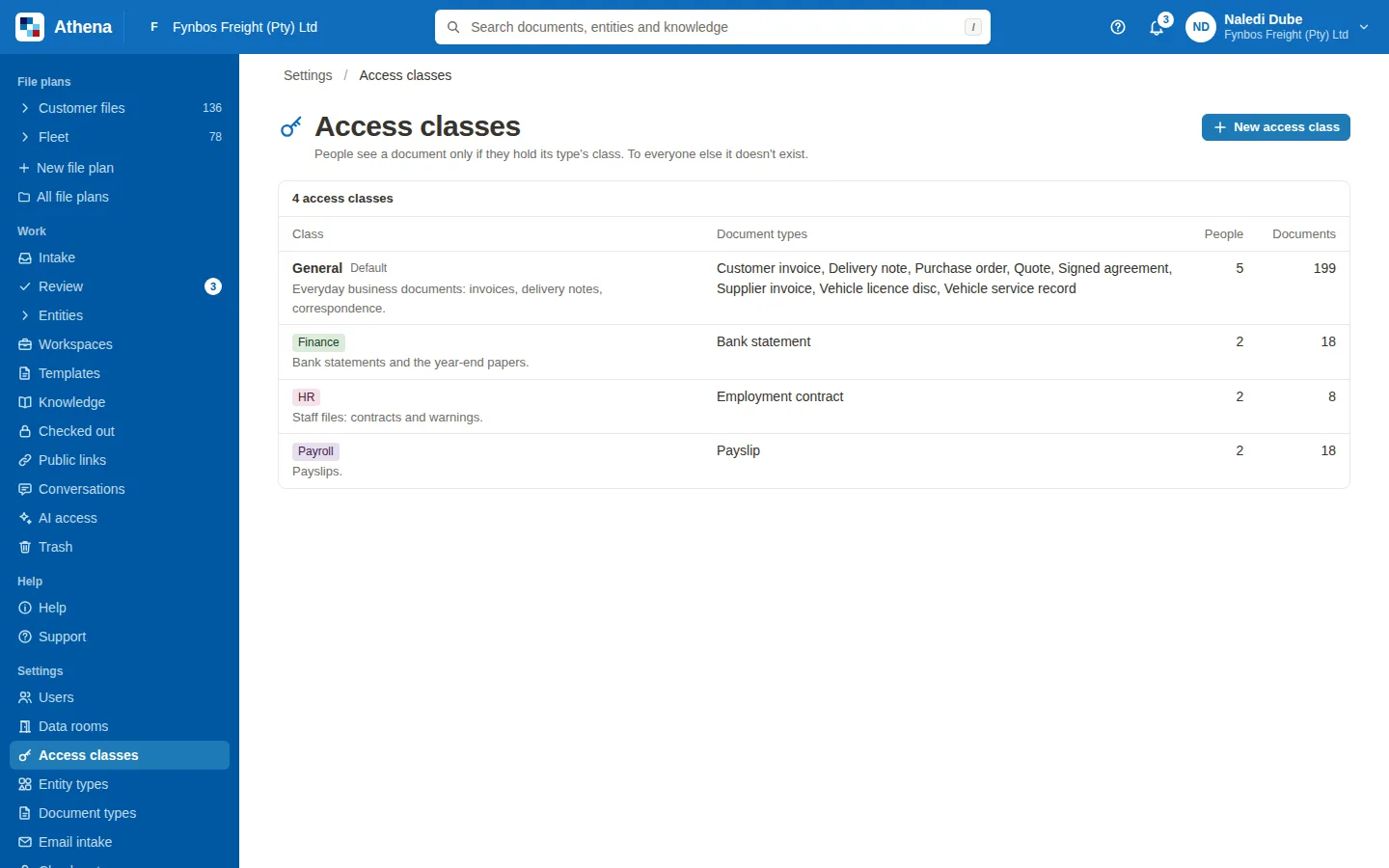
HR, payroll and finance documents are seen only by the people in their class. Some can only read; some see only their own customers.
-
Audit log
Every look, download and change is recorded: who, what and when.
-
Retention, disposal and legal holds
Each document type says how long its documents are kept. When the time comes they're disposed of with approval and a record; a legal hold stops that.
-
Your choice of cloud AI
Decide whether cloud AI may read your documents' text, or keep everything on Athena's own servers.
-
Sign-in that's hard to steal
Passwords with an authenticator app, or a passkey: your face or fingerprint.
Running Athena
Setting it up and getting help.
-
Document types to start from
Start from Athena's common types, like invoices, payslips and contracts, and change them to fit. Or give Athena one typical document and let it suggest the type, or bring in a type another of your organisations already set up.
-
Users and roles
Invite people, choose their classes, and make some tenant admins.
-
Help, tours and support
Help on every screen, guided tours, and support tickets answered by Astrium.
-
For developers
A documented API to build on.
Audit engagements
For audit firms: each client's year as an engagement, gathered and signed off section by section. Athena for audit firms
-
Engagements and standard sections
The firm's sections once, each gathering its document types; an engagement per client and year gathers the client's documents into them.
-
Roll forward
Next year's engagement from this year's: the same sections and team, the requests as drafts, and the permanent file.
-
Requests to the client
One list of what's needed; the client uploads against each line, and it ticks off when the document is filed.
-
A year of bank statements
Whether each account's statements cover the year and follow on from one to the next.
-
Samples
Key items and a random sample, with the seed kept so it can be drawn again.
-
Prepared and reviewed
Sign-off per section by name and date, flagged when it changes after review.
Legal matters
For law firms: matters with their parties, conflict checks, FICA, court bundles and chronologies. Athena for law firms
-
Matters
Numbered matters for each client, with the kind of matter's own sections gathering its documents.
-
Parties and conflict checks
Every party checked against other matters and clients before a matter opens, with the outcome recorded.
-
FICA
A FICA list per kind of client, what's verified and when each client is due for review.
-
Court bundles
The matter's documents in order, as one paged and indexed bundle.
-
Chronologies
What happened when, read from the matter's documents, each line linked to its page.
Try it with your own documents
Your own Athena for 30 days, for up to 5 people. Explore it on your own: nobody will call you.